
Scale Your Impact, Not Your To-Do List
Why handle manually what Syncro can handle automatically? From auto-remediating security alerts to streamlining user transitions, our intelligent automation engine handles the heavy lifting so your team can focus on more impactful and strategic projects.


Eliminate Operational Bottlenecks
Transition from manual maintenance to automated efficiency. Use smart logic to handle routine system tasks and common user requests.

Swift Security Remediation
Configure if-this-then-that workflows to automatically isolate threats or apply critical patches the moment a vulnerability is detected.

Scale Securely
Orchestrate workflows that adapt to your evolving device footprint while maintaining peak performance and security standards.
Standardize Your Daily Operations

Route Tickets Intelligently
Assign requests instantly based on priority, department, or skill set to ensure the right technician handles the right issue every time.

Trigger Event-Driven Fixes
Turn alerts into action by automatically running scripts to remediate vulnerabilities or restore system baselines the moment a breach is detected.

Streamline Employee Onboarding & Offboarding
Deploy required apps when a new device is discovered on your network. Automate Microsoft 365 user syncs and license billing, and revoke sessions or block users when an employee leaves.
Automate Patch Management
Keep endpoints secure without manual intervention. Leverage policy inheritance to automatically deploy Windows patches across your entire inventory.
Route Tickets Intelligently
Assign requests instantly based on priority, department, or skill set to ensure the right technician handles the right issue every time.
Trigger Event-Driven Fixes
Turn alerts into action by automatically running scripts to remediate vulnerabilities or restore system baselines the moment a breach is detected.

Streamline Employee Onboarding & Offboarding
Deploy required apps when a new device is discovered on your network. Automate Microsoft 365 user syncs and license billing, and revoke sessions or block users when an employee leaves.
Automate Patch Management
Keep endpoints secure without manual intervention. Leverage policy inheritance to automatically deploy patches across your entire inventory.


Eliminate Manual To-Dos
Free your team from repetitive maintenance. Automate everything from patch cycles to system audits so you can focus on high-impact IT strategy.

Enforce Security Standards
Deploy verified security configurations across your entire IT environment. Automatically detect and correct configuration drift to maintain a hardened, compliant security posture.

Bridge the Skills Gap
Empower your entire team to solve complex issues. Leverage a shared library of community-sourced scripts to execute advanced technical tasks without needing to write code from scratch.
Eliminate Manual To-Dos
Free your team from repetitive maintenance. Automate everything from patch cycles to system audits so you can focus on high-impact IT strategy.
Enforce Security Standards
Deploy verified security configurations across your entire IT environment. Automatically detect and correct configuration drift to maintain a hardened, compliant security posture.
Bridge the Skills Gap
Empower your entire team to solve complex issues. Leverage a shared library of community-sourced scripts to execute advanced technical tasks without needing to write code from scratch.

“One of [Syncro’s] standout features is the integrated PowerShell scripting engine, which enables us to automate processes such as onboarding, offboarding, compliance reporting, monitoring, and remediation.”
— Len K., Owner
SYNCRO RESOURCES

Complete Guide to IT Operations Automation: Benefits, Use Cases, and Future Trends
Discover how IT operations automation improves efficiency, scalability & security. Explore real-world use cases, best practices & more.
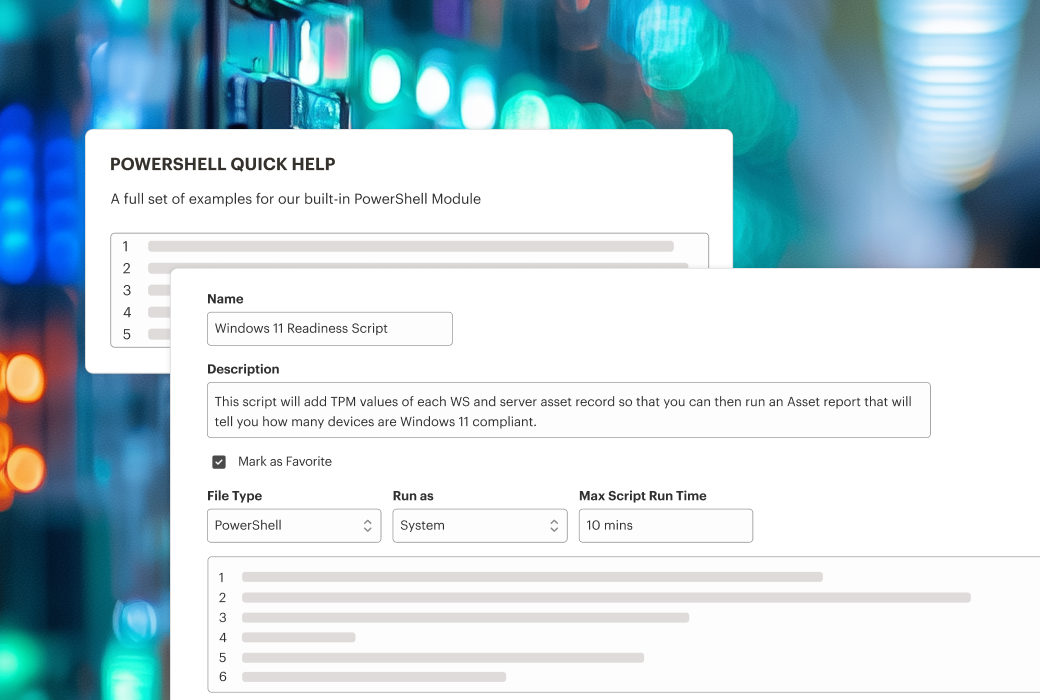
PowerShell Automation Scripts: Efficiency Hacks for IT Professionals
Learn how you can use PowerShell automation scripts to handle routine tasks and free up more time for your technicians.

Power Hour Recap: How to Build a High-Efficiency Helpdesk with Views, Tags & Automation
Streamline ticket management with Syncro Views, Tags, and Automation. Improve helpdesk efficiency, visibility, and consistency. Learn more.
Frequently Asked Questions
For IT teams, automation is the use of logic-based tools to manage repetitive tasks like software deployment, system updates, and ticket routing. Syncro unifies these capabilities to increase department efficiency and reduce manual errors.
Yes. You can configure automated workflows that trigger specific scripts or patches the moment a security alert is generated, ensuring threats are handled even when your team is offline.
Nope! While Syncro supports advanced PowerShell and Shell scripting, we also provide a Community Script Library. This allows you to import and deploy proven automations for common tasks without writing code from scratch.
By resolving issues in the background and speeding up response times for common requests, automation reduces downtime and allows employees to stay productive without being interrupted by IT maintenance.

Start Your Free Trial with Syncro Today
Gain instant access. Go live in just a few clicks and master core features with guided onboarding. No heavy setup required.

Start Your Free Trial with Syncro Today
Gain instant access. Go live in just a few clicks and master core features with guided onboarding. No heavy setup required.